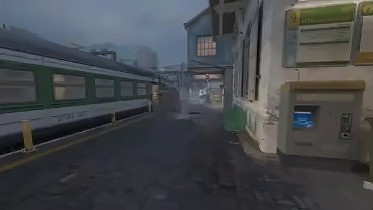
Simulated environments are essential for robotics. They enable safe training and testing of robots. However, even the most sophisticated ones fail to capture the “noise” of the real world because of idealised physics and unnatural visuals.
Simulated environments are essential for robotics. They enable safe training and testing of robots. However, even the most sophisticated ones fail to capture the “noise” of the real world because of idealised physics and unnatural visuals.
Interactive World Models are different. They are visually more realistic, and can model more complex phenomena such as folding materials or squeezing towels. By embedding digital replicas into these dynamic environments, robots can execute commands through direct interaction.
Here is the challenge though. True interactivity requires a world model to accurately respond to low-level commands (e.g., moving left or right). To solve this, we introduce the Reka Inverse Dynamics Model (RIDM), which extracts low-level commands directly from real-world video data to act as ‘captions’ describing physical changes in consecutive frames.
RIDM is a compact, efficient model that processes short clips and extracts low-level motor commands like moving forward, sideways, turning or tilting. Even though the model is entirely trained on video games, by decoupling visuals from motion, its predictions transfer to real-world videos.
Predicted key probability
Wforward0.85
Amove left0.34
Sback0.01
Dmove right0.76
Shiftwalk0.01
turn (yaw)16.9° left← leftright →
tilt (pitch)1.4° up← downup →
First window of the clip
Blue bars show five movements; each carrying the name of the game control that produces it. The green dials show the camera turn and the camera tilt, in degrees.
1
Learn from the game
W
A
S
D
turn 12°
recorded gameplay
video, the keys held, the camera angles
video and the true actions
train the IDM
objective: from two frames, predict the keys held and how far the camera moved
IDM
2
Label our real video
our real video
no action labels at all
video only, no actions
IDM
the weights from step 1
what the camera did
forward
turn 12°
predicted labels
3
Train the world model
forward
turn 12°
the same video, now labelled
the actions came from the IDM
video and actions together
train the world model
on video and action pairs
world-language-action
understands actions, generates video
the same weights, carried over
the video, and the labels it predicted
Figure 1 — How RIDM can be used to train interactive world models.
1
Learn from the game
W
A
S
D
turn 12°
recorded gameplay
video, the keys held, the camera angles
video and the true actions
train the IDM
objective: from two frames, predict the keys held and how far the camera moved
IDM
the same weights, carried over
2
Label our real video
our real video
no action labels at all
video only, no actions
IDM
the weights from step 1
what the camera did
forward
turn 12°
predicted labels
the video, and the labels it predicted
3
Train the world model
forward
turn 12°
the same video, now labelled
the actions came from the IDM
video and actions together
train the world model
on video and action pairs
world-language-action
understands actions, generates video
Figure 1 — How RIDM can be used to train interactive world models.
The data
We recorded gaming footages at 1280 × 720, 48 frames per second, with 11 ground-truth key commands, the mouse movement and the exact camera angles for every frame. The annotations are provided by the engine.
What it looks like
Pool
Keys held
Turn
Tilt
Must travel
Rows
Forward
one pool with Turn, about half each
exactly W
2° or less
2° or less
walking pace or more
104,646
Turn
the same pool as Forward, not a second 104,646
none at all
10° or more
2° or less
1 unit or less
104,646
Sideways or back
A and D step sideways, S steps back
one of A, D, S
2° or less
2° or less
2 units or more
53,429
Tilt
the scarcest motion we train on
none at all
2° or less
10° or more
1 unit or less
1,554
Sideways + turn
added last, to tell a step from a turn
one of A, D
5° or more
no demand
2 units or more
50,000
Figure 2 — Gameplay clips with the associated ground-truth annotations.
Forward
one pool with Turn, about half each
Keys held
exactly W
Turn
2° or less
Tilt
2° or less
Must travel
walking pace or more
Rows
104,646
Turn
the same pool as Forward, not a second 104,646
Keys held
none at all
Turn
10° or more
Tilt
2° or less
Must travel
1 unit or less
Rows
104,646
Sideways or back
A and D step sideways, S steps back
Keys held
one of A, D, S
Turn
2° or less
Tilt
2° or less
Must travel
2 units or more
Rows
53,429
Tilt
the scarcest motion we train on
Keys held
none at all
Turn
2° or less
Tilt
10° or more
Must travel
1 unit or less
Rows
1,554
Sideways + turn
added last, to tell a step from a turn
Keys held
one of A, D
Turn
5° or more
Tilt
no demand
Must travel
2 units or more
Rows
50,000
Figure 2 — Gameplay clips with the associated ground-truth annotations.
The model
Our model disentangles visuals from motion by projecting inputs into optical flow space. Since our goal is to use RIDM to automatically annotate real-world footages, not 3d gameplays, the method needs to transfer from games to real-world. We also compare that approach with a direct one that is working in the pixel space. To differentiate both, we use names: flow-based and pixel-based model.
Training both models on random gaming footages will not work either. Successful approach requires data filtering and resampling. For instance, some actions such as backward or sideways strafe movements are much more rare than simple forward movements. Suitable resampling helps in learning these less common movements.
Both models are compact. The flow-based model has 2.8m (2,785,499) parameters; with only 1.8m (1,795,337) trainable parameters and about 990k frozen that constitutes RAFT-small. The pixel-based model is fully trainable and has around 9.8m (9,836,063) parameters.
Pixels
the IMPALA trunk, the one VPT uses for its policy
every pixel
IMPALA trunk
3 residual stacks
Embedding
one vector per frame
Transformer
150-frame window
Predicts
W A S D Shift
yaw, pitch
Optical flow
RAFT-small estimates the motion, and nothing after it sees a pixel
motion only
RAFT-small
frozen, 0.99 M
Convolution stem
stride 16
Transformer
4 layers, 5 frames
Predicts
W A S D Shift
yaw, pitch
Figure 3 — High-level diagram of both approaches to implement Inverse Dynamics Model. We use either IMPALA or RAFT as the corresponding feature extraction mechanism that maps inputs into its own representation.
Pixels
the IMPALA trunk, the one VPT uses for its policy
every pixel
IMPALA trunk
3 residual stacks
Embedding
one vector per frame
Transformer
150-frame window
Predicts
W A S D Shift
yaw, pitch
Optical flow
RAFT-small estimates the motion, and nothing after it sees a pixel
motion only
RAFT-small
frozen, 0.99 M
Convolution stem
stride 16
Transformer
4 layers, 5 frames
Predicts
W A S D Shift
yaw, pitch
Figure 3 — High-level diagram of both approaches to implement Inverse Dynamics Model. We use either IMPALA or RAFT as the corresponding feature extraction mechanism that maps inputs into its own representation.
Pixel model
IDMImpalaVPT
gameplay render
one frame of game footage
1,280 × 720 × 3
resize to a square
pixels are area-averaged. 16:9 does not survive
128 × 128 × 3
window of frames
stride 75, so windows overlap by half
150 × 3 × 128 × 128
IMPALA block 1
a convolution, a halving, two residual blocks
150 × 64 × 64 × 64
IMPALA block 2
the same three parts again
150 × 128 × 32 × 32
IMPALA block 3
the same three parts again
150 × 128 × 16 × 16
average pool to 4 × 4
each channel averaged down to a 4 × 4 grid
150 × 128 × 4 × 4
flatten
128 × 4 × 4 numbers per frame
150 × 2,048
residual attention
attention over the window, both directions, 8 heads
150 × 512
post-attention layer
ReLU, linear, layer norm, on every frame
150 × 512
key head, rotation head
run on every frame: W A S D Shift, yaw and pitch
150 × (5 + rotation)
Flow model
FlowTransformer, the one we shipped
gameplay render
one frame of game footage
1,280 × 720 × 3
resize to a square
the same squash, the same loss
128 × 128 × 3
5 frames
consecutive, one gap apart
5 × 3 × 128 × 128
RAFT-small
an optical-flow network, frozen. It reports where each pixel went
4 × 2 × 128 × 128
conv stem
3 convolutions, each one shrinking: stride 16 in all
4 × 192 × 8 × 8
flatten to tokens
8 × 8 per map, plus one CLS token
(256 + 1) × 192
+ embeddings
position, frame index, and the frame gap on CLS
(256 + 1) × 192
transformer encoder
4 layers, pre-norm, GELU, 4 heads
(256 + 1) × 192
take the CLS token
one vector for the whole clip
192
key head, rotation head
W A S D Shift, and yaw and pitch
5 + rotation
Inside the pixel trunk
three levels, each one opening the level above it
One IMPALA block
three of these make the trunk. Only the max pool changes the shape; the residual blocks keep it.
conv 3 × 3
pad 1, keeps the size
→
max pool 3 × 3
stride 2, halves it
→
↺ the input is added back
residual block
opened up below
→
↺ the input is added back
residual block
the same again
in: C × S × S
out: C′ × S/2 × S/2
Every convolution here is 3 × 3 with padding, so a residual block changes the numbers and not the shape.
One residual block, opened up
two of these sit inside every IMPALA block above
GroupNorm
→
ReLU
→
conv 3 × 3
→
GroupNorm
→
ReLU
→
conv 3 × 3
→
+ the input
The shape never changes across these six. Only the max pool above it does that.
GroupNorm
the norm inside the residual block, and what it averages over
the channels of one frame, split into 8 groups
μ and σ² come from one group alone: its channels, every pixel of them, one frame
y = γ · (x − μ) / √(σ² + ε) + β
γ and β are learned, one pair per channel. ε keeps the divide safe.
BatchNorm would average across the batch instead. GroupNorm does not, so what one frame becomes never depends on which frames happen to share its batch.
Inside the flow front end
the one network the flow column names, and the only part of it we did not write
RAFT-small
the optical-flow network in the flow column, two rows up
frame t
frame t+1
→
one vector for every pixel: how far it moved, and which way
2 channels, the sideways part and the up-and-down part
A published network used with its pretrained weights and never trained, so it learns nothing about this game. That is the point: the flow of a corridor and the flow of a street look alike, and a pixel of each does not.
Figure 4 — Both architectures presented in details.
Pixel model
IDMImpalaVPT
gameplay render
one frame of game footage
1,280 × 720 × 3
resize to a square
pixels are area-averaged. 16:9 does not survive
128 × 128 × 3
window of frames
stride 75, so windows overlap by half
150 × 3 × 128 × 128
IMPALA block 1
a convolution, a halving, two residual blocks
150 × 64 × 64 × 64
IMPALA block 2
the same three parts again
150 × 128 × 32 × 32
IMPALA block 3
the same three parts again
150 × 128 × 16 × 16
average pool to 4 × 4
each channel averaged down to a 4 × 4 grid
150 × 128 × 4 × 4
flatten
128 × 4 × 4 numbers per frame
150 × 2,048
residual attention
attention over the window, both directions, 8 heads
150 × 512
post-attention layer
ReLU, linear, layer norm, on every frame
150 × 512
key head, rotation head
run on every frame: W A S D Shift, yaw and pitch
150 × (5 + rotation)
Flow model
FlowTransformer, the one we shipped
gameplay render
one frame of game footage
1,280 × 720 × 3
resize to a square
the same squash, the same loss
128 × 128 × 3
5 frames
consecutive, one gap apart
5 × 3 × 128 × 128
RAFT-small
an optical-flow network, frozen. It reports where each pixel went
4 × 2 × 128 × 128
conv stem
3 convolutions, each one shrinking: stride 16 in all
4 × 192 × 8 × 8
flatten to tokens
8 × 8 per map, plus one CLS token
(256 + 1) × 192
+ embeddings
position, frame index, and the frame gap on CLS
(256 + 1) × 192
transformer encoder
4 layers, pre-norm, GELU, 4 heads
(256 + 1) × 192
take the CLS token
one vector for the whole clip
192
key head, rotation head
W A S D Shift, and yaw and pitch
5 + rotation
Inside the pixel trunk
three levels, each one opening the level above it
One IMPALA block
three of these make the trunk. Only the max pool changes the shape; the residual blocks keep it.
conv 3 × 3
pad 1, keeps the size
→
max pool 3 × 3
stride 2, halves it
→
↺ the input is added back
residual block
opened up below
→
↺ the input is added back
residual block
the same again
in: C × S × S
out: C′ × S/2 × S/2
Every convolution here is 3 × 3 with padding, so a residual block changes the numbers and not the shape.
One residual block, opened up
two of these sit inside every IMPALA block above
GroupNorm
→
ReLU
→
conv 3 × 3
→
GroupNorm
→
ReLU
→
conv 3 × 3
→
+ the input
The shape never changes across these six. Only the max pool above it does that.
GroupNorm
the norm inside the residual block, and what it averages over
the channels of one frame, split into 8 groups
μ and σ² come from one group alone: its channels, every pixel of them, one frame
y = γ · (x − μ) / √(σ² + ε) + β
γ and β are learned, one pair per channel. ε keeps the divide safe.
BatchNorm would average across the batch instead. GroupNorm does not, so what one frame becomes never depends on which frames happen to share its batch.
Inside the flow front end
the one network the flow column names, and the only part of it we did not write
RAFT-small
the optical-flow network in the flow column, two rows up
frame t
frame t+1
→
one vector for every pixel: how far it moved, and which way
2 channels, the sideways part and the up-and-down part
A published network used with its pretrained weights and never trained, so it learns nothing about this game. That is the point: the flow of a corridor and the flow of a street look alike, and a pixel of each does not.
Figure 4 — Both architectures presented in details.
Click the view · W A S D · Shift · arrows
Pixels · what the camera sees
Optical flow · what the flow model seesdirection
This interactive figure needs WebGL, which this browser has turned off.
The label · what the game records
WASDShift
Turn0°/sTilt0°/s
Walking forward
Interactive — two ways to read a frame, live. A small game level rendered in your browser. Left: the camera’s picture, which the pixel model reads. Right: the optical flow between its frames, which the flow model reads; here it is computed exactly from the scene, where the model estimates it with RAFT-small. Hue is direction, brightness is speed. Below the views is the label the game records for the motion: the keys held, the turn and the tilt. Pick one of the five motions from figure 2, or click the view and drive with W A S D and the arrow keys.
Evaluation
We tested the generalisation of both approaches on videos that neither method has seen during training. As expected, the flow-based model works better, with the biggest gains obtained when transferring from gaming footages to real-world video clips.
In evaluation, we used three datasets:
Real-world videos with camera angle labels,
Real-world GoPro footage,
Synthetic, 3d gaming footages.
Note that real-world datasets hold only forward and turn actions.
Each dataset asks two questions; totalling six different configurations. Did the camera go forward or turn? If it turned, which way?
The flow-based model works better on five out of the six configurations,
On real-world video the gap is the largest. The flow-based model gets 86 % while the pixel-based model gets only 31 %,
The pixel model is only better to predict GoPro turn direction, and only by a single clip.
Table 1 — Two models benchmarked on six different evaluation configurations. Since the ground-truth label derived from sensors is inaccurate in real datasets — Real video and GoPro — we manually inspected predictions to calculate accuracies. For gaming footages, we use available ground-truth annotations.
Evaluation data
Task
Flow model
Pixel model
Real video, 78 clips
Forward, turn left or right
85.9 %
30.8 %
Real video, 47 turn clips
Turn left or right
91.5 %
51.1 %
GoPro, 72 clips
Forward, turn left or right
75.0 %
58.3 %
GoPro, 25 turn clips
Turn left or right
72.0 %
76.0 %
Gaming footage, 5,216 flow pairs and 5,164 pixel pairs
Our RIDM, of course, occasionally fails in some situations:
it reports false turns on static frames and on dark frames,
when it has to disentangle side step and opposite yaw turns. For example when the person is stepping right and turns camera left at the same time,
it reports walk keys on a camera that stands still and zooms in / out,
the camera stabilization on action-camera footage hides part of the rotation.
We believe that training on more data, especially on the data containing camera effects like zooming or stabilisation, would improve the model’s performance on the failures above.
Visualisations
We show a few real-world egocentric footages together with model predictions. We report positive prediction together with the model failures.
Predicted key probability
Wforward0.98
Amove left0.01
Sback0.00
Dmove right0.78
Shiftwalk0.00
turn (yaw)5.2° left← leftright →
tilt (pitch)1.4° up← downup →
First window of the clip
Figure 6 — A walk on an empty street.
Predicted key probability
Wforward0.00
Amove left0.03
Sback0.12
Dmove right0.02
Shiftwalk0.83
turn (yaw)2.8° right← leftright →
tilt (pitch)1.5° down← downup →
First window of the clip
Figure 7 — A slow walk captured by Shift Walk command.
Predicted key probability
Wforward0.05
Amove left0.10
Sback0.03
Dmove right0.07
Shiftwalk0.78
turn (yaw)3.5° left← leftright →
tilt (pitch)1.7° up← downup →
First window of the clip
Figure 8 — Tilt up.
Predicted key probability
Wforward0.02
Amove left0.04
Sback0.01
Dmove right0.01
Shiftwalk0.91
turn (yaw)1.4° right← leftright →
tilt (pitch)10.7° down← downup →
First window of the clip
Figure 9 — Tilt down.
Predicted key probability
Wforward0.98
Amove left0.16
Sback0.00
Dmove right0.12
Shiftwalk0.00
turn (yaw)3.6° left← leftright →
tilt (pitch)1.3° up← downup →
First window of the clip
Figure 10 — Complex movement. RIDM successfully disentangles the movement from the camera rotation.
Predicted key probability
Wforward0.02
Amove left0.33
Sback0.02
Dmove right0.00
Shiftwalk0.69
turn (yaw)5.3° right← leftright →
tilt (pitch)1.3° down← downup →
First window of the clip
Figure 11 — A turn to the right.
Predicted key probability
Wforward0.00
Amove left0.01
Sback1.00
Dmove right0.02
Shiftwalk0.00
turn (yaw)1.1° left← leftright →
tilt (pitch)1.1° down← downup →
First window of the clip
Figure 12 — Backward movement.
Predicted key probability
Wforward0.42
Amove left0.20
Sback0.02
Dmove right0.23
Shiftwalk0.43
turn (yaw)48.8° left← leftright →
tilt (pitch)2.3° down← downup →
First window of the clip
Figure 13 — Failure on a grey smoke screen in a game clip.
Predicted key probability
Wforward0.42
Amove left0.05
Sback0.01
Dmove right0.86
Shiftwalk0.08
turn (yaw)19.3° right← leftright →
tilt (pitch)1.5° down← downup →
First window of the clip
Figure 14 — Failure at 10 seconds. The model predicts rotation where the movement is towards the right direction (D).
Predicted key probability
Wforward0.09
Amove left0.13
Sback0.03
Dmove right0.09
Shiftwalk0.64
turn (yaw)5.9° left← leftright →
tilt (pitch)1.5° down← downup →
First window of the clip
Figure 15 — Failure where the model needs to disentangle camera effect (zoom in) from the movement. Zoom-in on a still photo: the model says forward.
Predicted key probability
Wforward0.01
Amove left0.12
Sback0.56
Dmove right0.06
Shiftwalk0.22
turn (yaw)5.0° left← leftright →
tilt (pitch)1.5° up← downup →
First window of the clip
Figure 16 — Failure where the model needs to disentangle camera effect (zoom out) from the movement.
Predicted key probability
Wforward0.06
Amove left0.23
Sback0.17
Dmove right0.12
Shiftwalk0.57
turn (yaw)16.6° left← leftright →
tilt (pitch)1.7° up← downup →
First window of the clip
Figure 17 — Failure where the model needs to disentangle camera effect (flickering) from the movement.
Extras
Real-world footage is based on Wikimedia Commons, licensed CC BY 3.0.
The weights and inference code in this repository are released under the Apache License 2.0. This applies to Reka’s model weights and code only. Pixel model: self-contained; no third-party model weights are required. Flow model: requires optical flow computed by RAFT-small, which is not included and must be obtained separately from Torchvision. The Torchvision and RAFT code is BSD-3-Clause. The pretrained RAFT weights were trained on datasets that are subject to their own terms, which may restrict commercial use. You are responsible for reviewing and complying with those terms before using the flow model in a commercial setting. We make no representation about their applicability. These models are provided “as is,” without warranty.