Today, we're releasing the Reka n8n community node, bringing AI-powered video clipping, image analysis, and visual Q&A directly into your n8n workflows, no code required.
What is the Reka n8n Node?
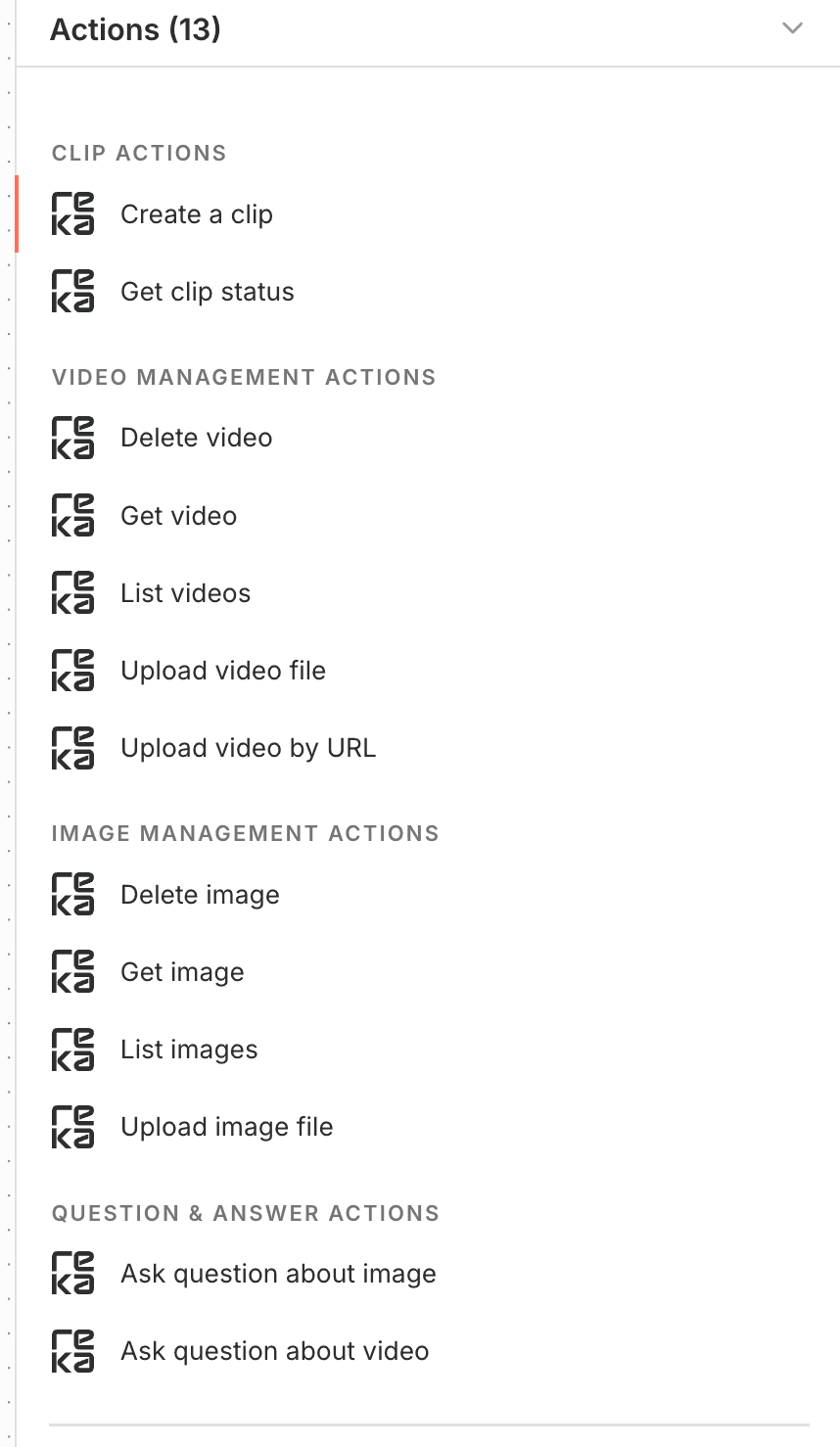
The node wraps Reka's vision API into native n8n actions, so you can add AI-powered video clipping and image analysis to any workflow.
Key Features
AI-Powered Video Clipping
Automatically transform long-form videos into engaging short clips. Provide a video URL (such as a YouTube link), describe what you want in natural language, and let Reka's AI do the rest.
What you can do:
Generate vertical or horizontal clips from existing videos
Use natural language prompts like "Create an engaging short video highlighting the best moments"
Add burned-in captions automatically
Specify minimum and maximum clip duration
Receive AI-generated titles, descriptions, and tags for your clips
Get clips delivered to your email automatically
This feature is perfect for social media managers, content creators, and marketing teams who need to repurpose long-form content into bite-sized clips for platforms like TikTok, Instagram Reels, or YouTube Shorts.
Vision-Based Q&A
Ask questions about images and videos and get instant, intelligent responses.
Example use cases:
"Describe this image"
"Summarize this video"
"What's the color of the car in this photo?"
"Count the number of people in this scene"
"Extract text from this document image"
This capability is ideal for content moderation, accessibility services, inventory management, quality control, and any scenario where you need to extract information from visual media at scale.
Getting Started
Installation
Installing the Reka node is straightforward, whether you're using n8n Cloud or a self-hosted instance. From any workflow, open the nodes panel by clicking the + button or pressing Tab, then search for "Reka". For more options and details, see the n8n community nodes installation guide.
Authentication
To use the node, you'll need a Reka API key. You can generate one for free by visiting your Reka Dashboard. Once you have your API key, add it to your n8n credentials, and you're ready to start building.
Your First Workflow
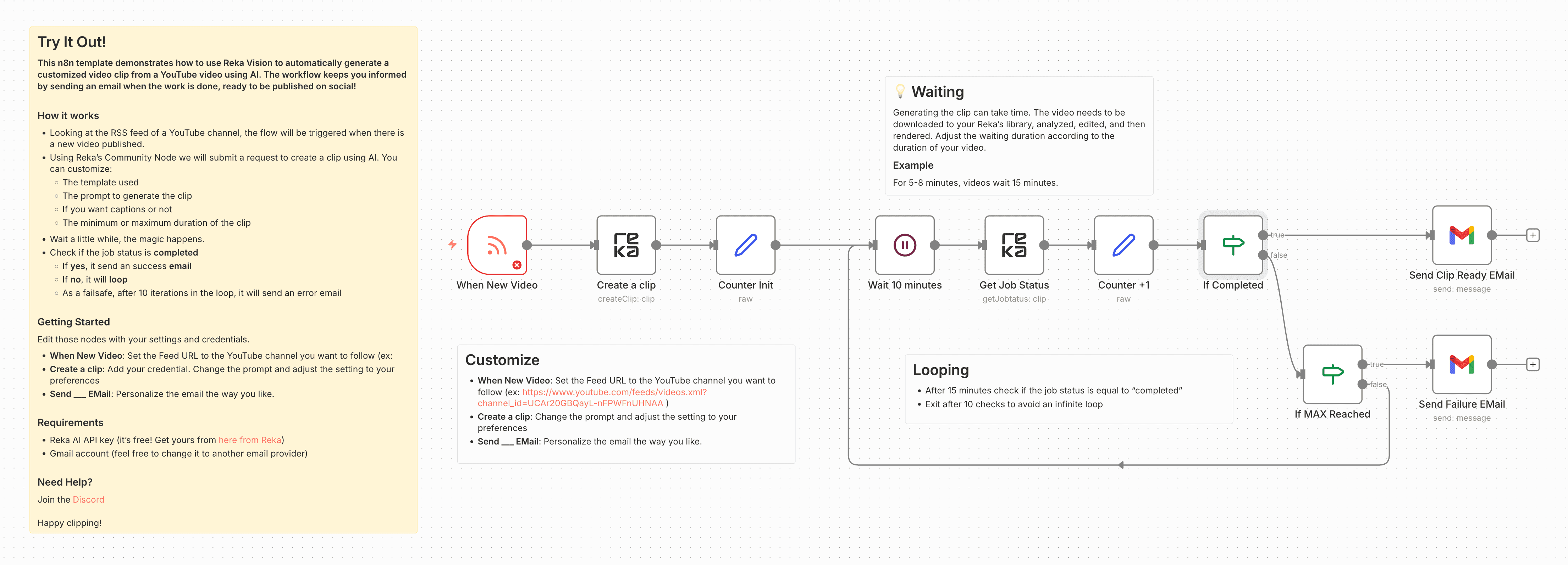
Use our pre-built workflow templates to get started quickly: Generate AI video clips from YouTube automatically with Reka Vision
What's Coming Next
The current release focuses on vision capabilities, but we're not stopping there.
Coming soon:
Speech capabilities: Transcription, voice analysis, and audio processing
Research capabilities: Advanced document analysis and information extraction
Text capabilities: Natural language processing and generation
Why n8n?
We chose n8n because it gives Reka users the most flexibility. n8n is an open, fair-code automation platform with hundreds of built-in integrations, so you can:
Combine Reka's AI vision with tools you already use
Build end-to-end media pipelines without coding
Self-host for complete data control
Scale from personal projects to enterprise deployments
Get Started Today
Sign up for a free Reka API key, install the node in your n8n instance, and try our ready-made workflow template to generate your first AI video clips in minutes.
Community and Support
We believe in building together with our community. The Reka n8n node is open source and welcomes contributions. Whether you've found a bug, have a feature request, or want to contribute code:
Reka Vision integration: n8n.io/integrations/reka-vision/
GitHub Repository: github.com/reka-ai/n8n-nodes-reka
Reka Discord: Join our Discord community
n8n Community Forum: Get help at community.n8n.io
Reka API Documentation: docs.reka.ai